Free & Open Source · MIT License

All your Agents.
One Workspace.

Run multiple CLI agents in parallel across repositories from one control plane. Agent Workspace itself runs locally on your hardware; model inference runs through the AI providers and CLIs you choose under your own accounts.

Claude Max plan & Codex plan compatible
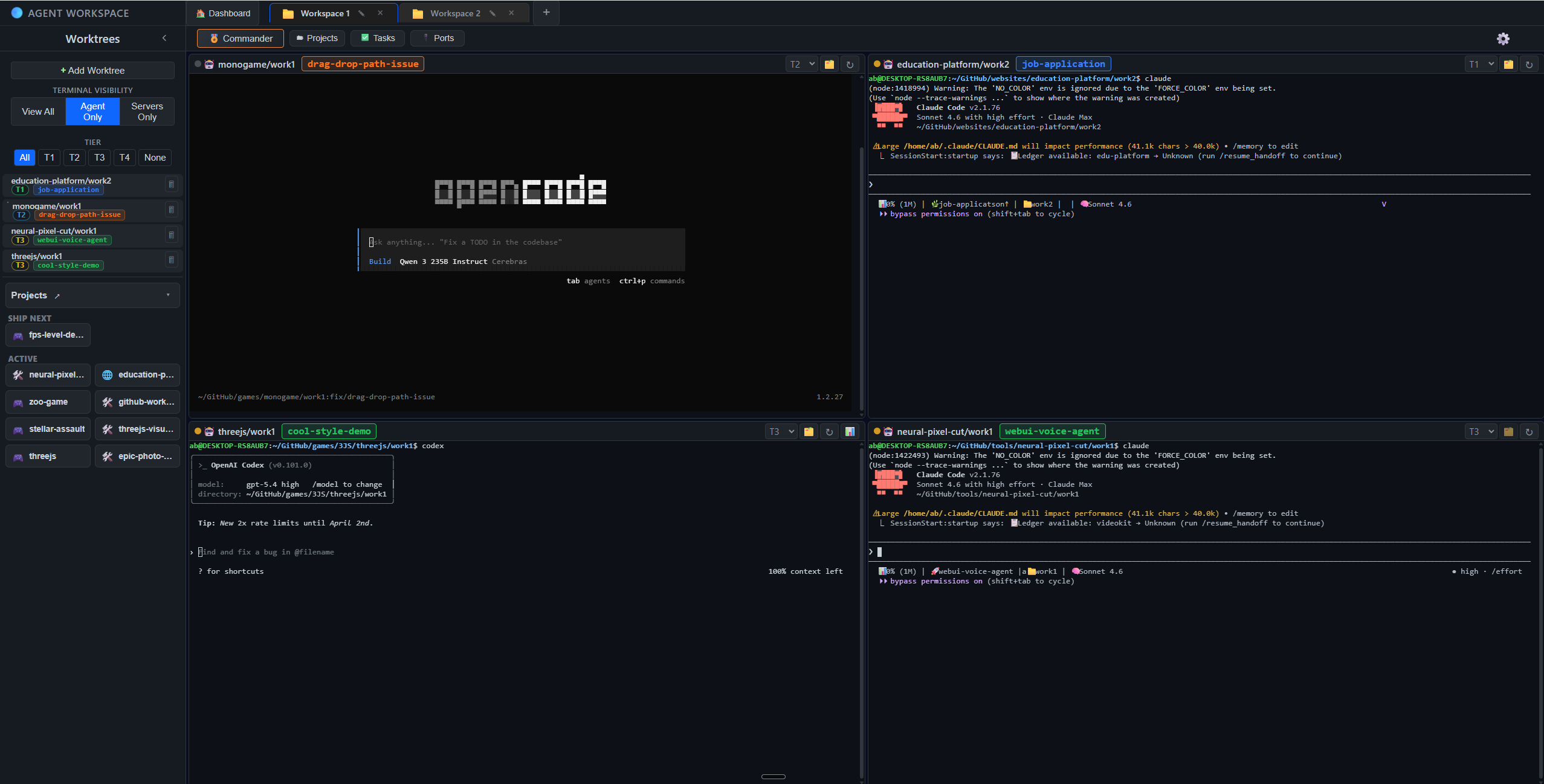
Agent Workspace running on Windows with multi-agent terminal grid

A GUI for your TUIs.

Bring your CLIs. Agent Workspace wraps your preferred terminal tools — run them side by side in the same workspace with your existing local auth and provider accounts.

Claude Code
Codex
Gemini CLI
OpenCode
?
Grok CLI? WEN, ELON?
>_
Any CLI Agent

Compatibility rule: if a tool can be launched from a terminal command in your worktree, it can run in Agent Workspace.

  • Common examples: Claude Code, Codex CLI, Gemini CLI, OpenCode, Grok CLI.
  • Also works with command-driven CLIs and scripts (for example Aider, Goose, or custom repo scripts).
  • If a tool starts with a command, Agent Workspace can host it in a terminal pane.

Install

Get up and running in under a minute.

or run from source
git clone https://github.com/web3dev1337/agent-workspace.git
cd agent-workspace && npm install
npm start

Verify the Windows installer before running it.

  • Compare the SHA-256 digest shown on the GitHub release.
  • If a signature is present, verify it before launching.
  • If verification fails, do not run the file.
Get-FileHash .\downloaded-file.exe -Algorithm SHA256
Get-AuthenticodeSignature .\downloaded-file.exe

Download the .dmg, open it, and drag Agent Workspace to Applications.

Or run from source ↓
git clone https://github.com/web3dev1337/agent-workspace.git
cd agent-workspace && npm install && npm start
Run from Source ↓
git clone https://github.com/web3dev1337/agent-workspace.git
cd agent-workspace && npm install
npm start

Opens at http://localhost:9461 in your browser.

Runs Locally, Models by Provider

Agent Workspace runs locally on your machine: sessions, workspaces, worktrees, and orchestration stay on your hardware. Model inference happens through the providers and CLIs you explicitly configure, under your own accounts.

Quick Answers

Does Agent Workspace run locally? Yes. Sessions, workspaces, worktrees, and orchestration run on your machine.

Where does model inference run? Through the AI provider CLIs and accounts you configure.

Can it manage multiple repositories and worktrees? Yes. You can run one or many repositories with multiple worktrees in the same workspace.

Can I jump straight to GitHub diffs and PRs? Yes. The review workflow supports direct links to GitHub diffs and PR pages.

Does anyone actually use this? Yes. We built it over a few days in July 2025 and have used it ever since to ship websites and multiple games, with more than half a million plays across those projects. We have not opened an IDE since.

Native Terminal Grid + Worktree Sidebar

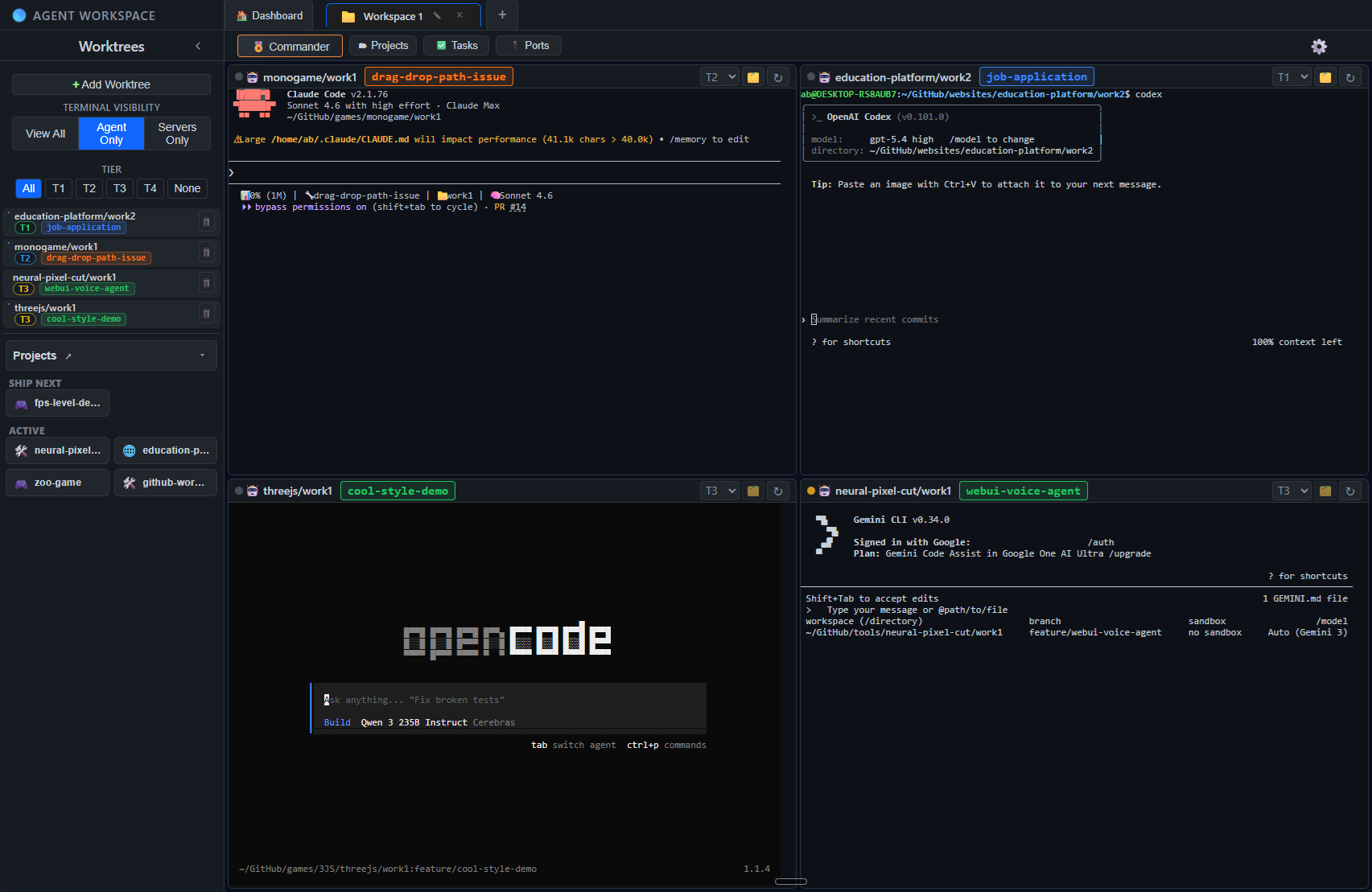
Open multiple worktrees inside the same workspace, from one repository or several repositories. The left sidebar tracks worktree status while the main pane runs a 2x2 grid of agents like Claude, Codex, OpenCode, and Gemini CLI.

Workspace view with worktree sidebar and a 2x2 terminal agent grid

Agent + Server Windows per Worktree

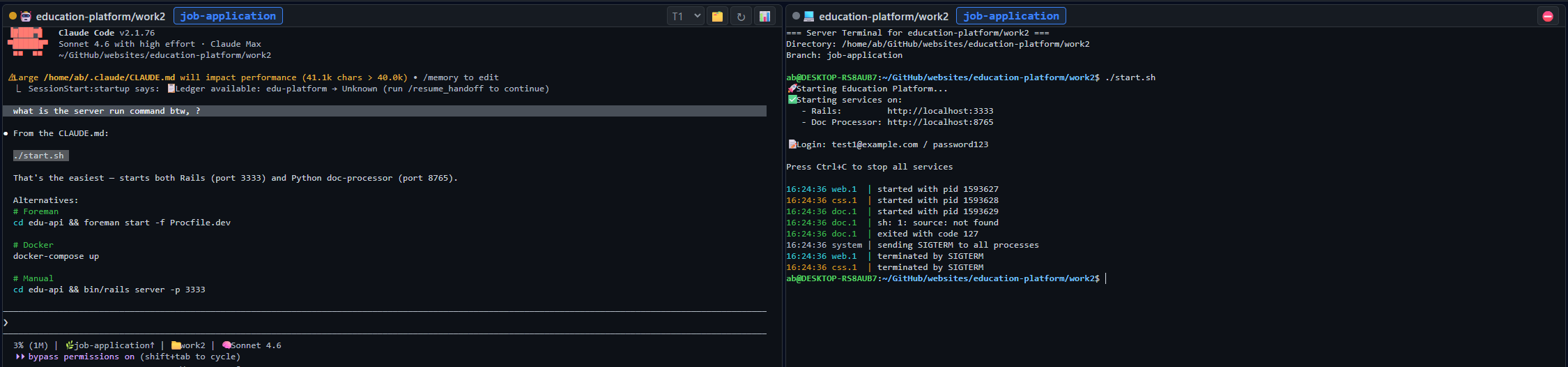
Run an agent window and a server window side by side in the same worktree. Keep coding/review in the agent pane while the server pane runs your website, game runtime, tests, or any CLI command from that exact folder.

Agent and server windows running side by side in the same worktree

Built-in Diff Viewer + Review Console

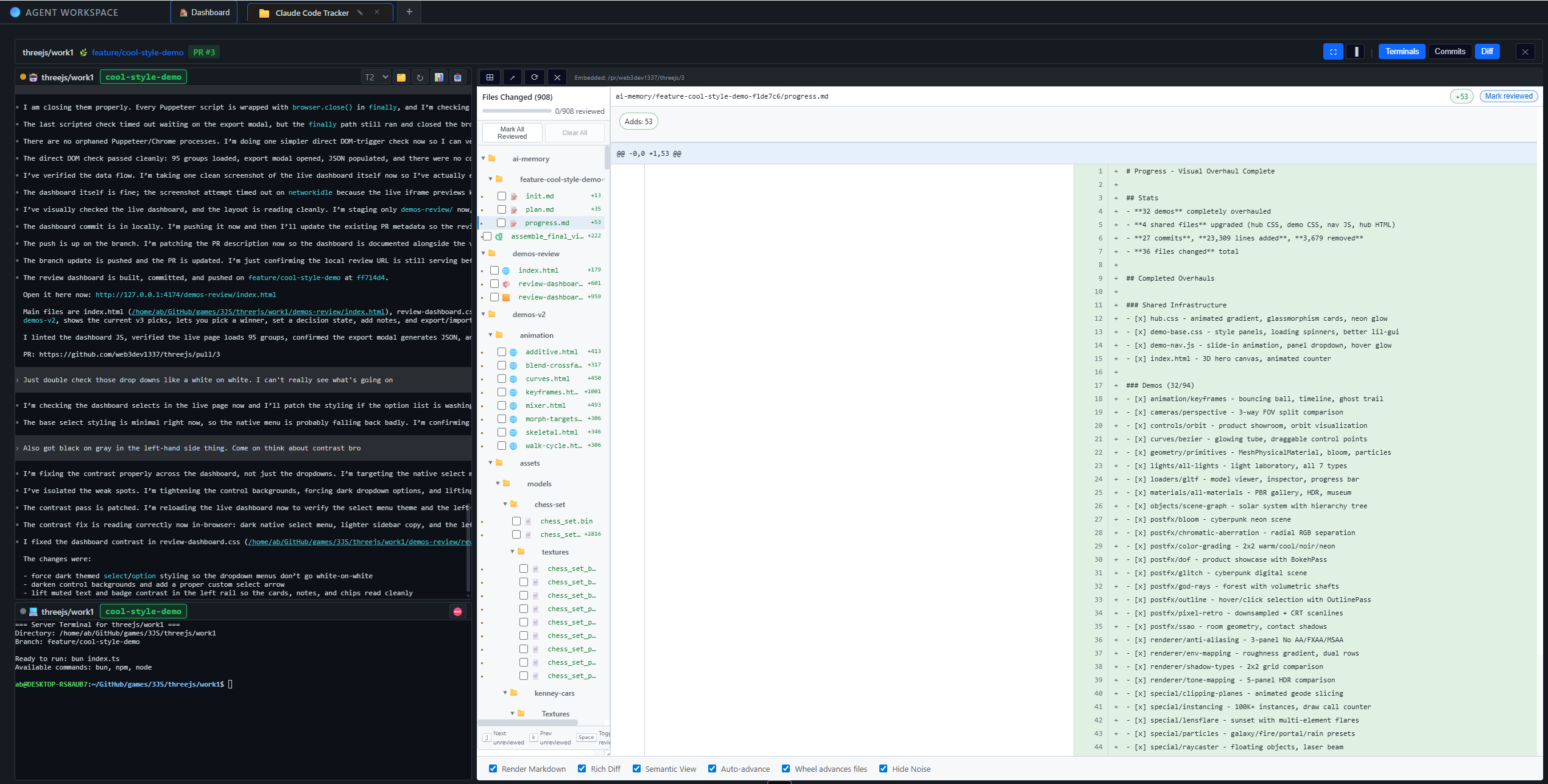
Review diffs in-app with agent and server context still visible in the same workflow. Use action buttons to jump directly to the GitHub PR or GitHub diff, re-prompt agents from review context, run verification steps, and merge once checks pass.

Diff viewer review console with agent and server panes alongside the in-app diff viewer

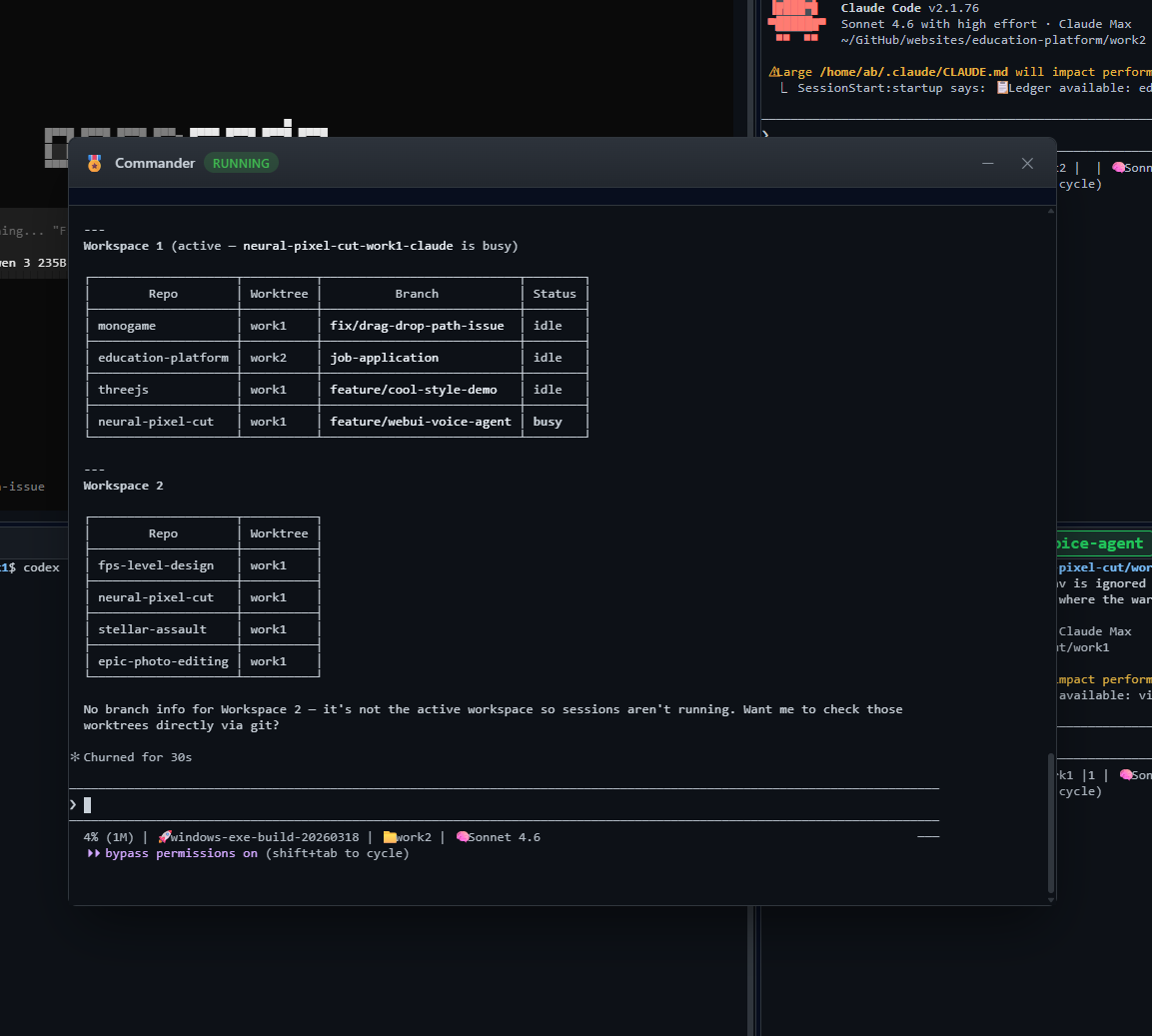
Commander

Use a top-level commander terminal to orchestrate the rest of your sessions: launch agents, fan out prompts, re-run commands, and coordinate review or merge flows from one control point.

Commander modal coordinating multiple workspaces and worktrees

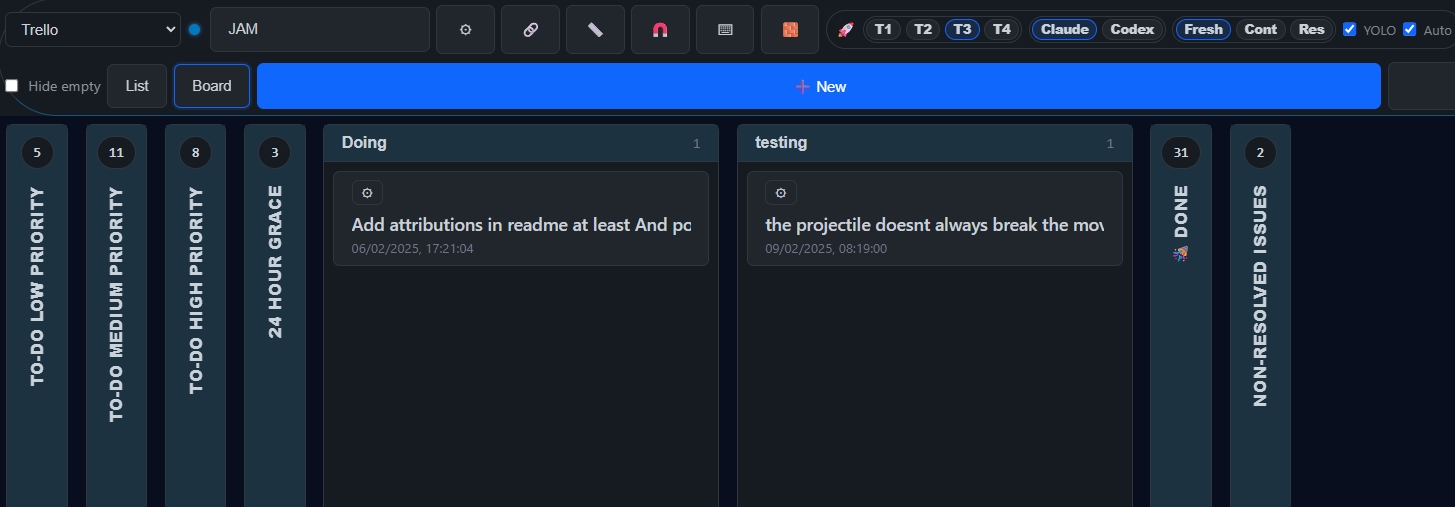
Tasks Board

Manage task flow in one place with board and list views, tier filters (T1-T4), provider toggles, and automation controls so you can route work to the right agent quickly.

Tasks board with tier filters and agent/provider controls

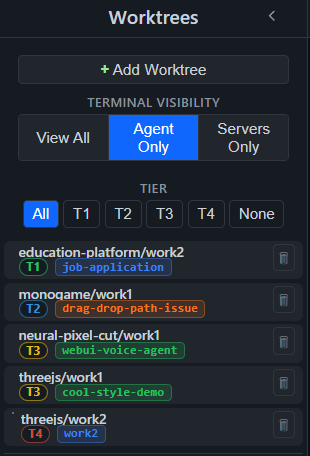
Tier System

Keep work organized by priority with a dedicated tier lane (T1-T4), plus quick filters to isolate focus work, reviews, and background tasks from the same worktree sidebar.

  • T1 Focus - Active deep work.
  • T2 Backup - Runs alongside or when T1 is blocked.
  • T3 Background - Batch prompt and batch review.
  • T4 Overnight - Long-running autonomous tasks.
Worktree sidebar with tier filters and T1 to T4 assignment badges

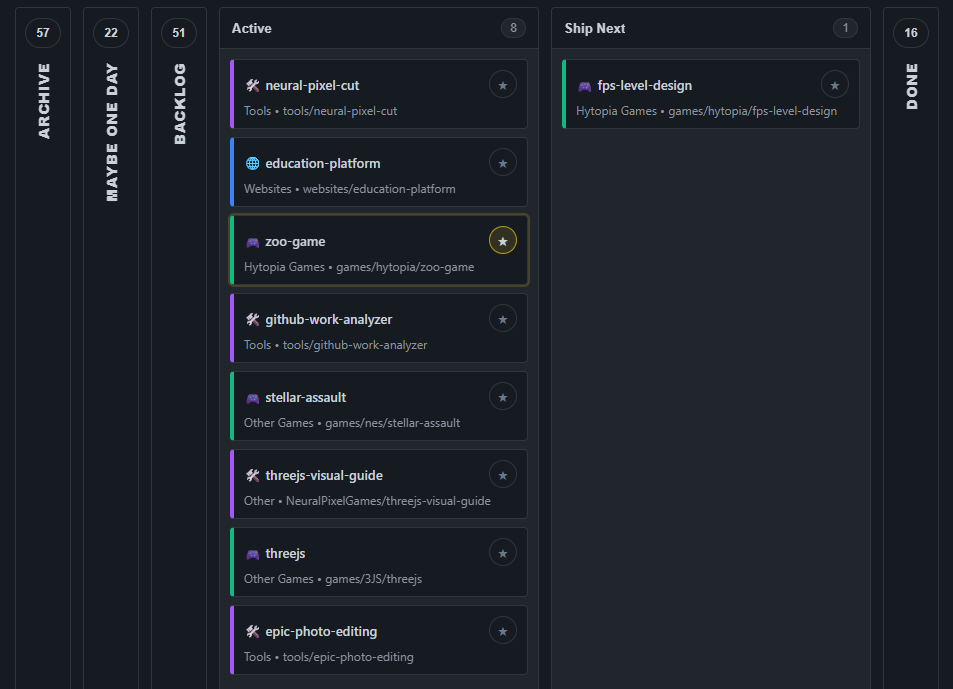
Projects Board

Track active and shipped work with the projects board workflow. Keep previous project history visible while new work moves through planning, active implementation, and ship queues.

Projects board view with Active, Ship Next, and Done columns

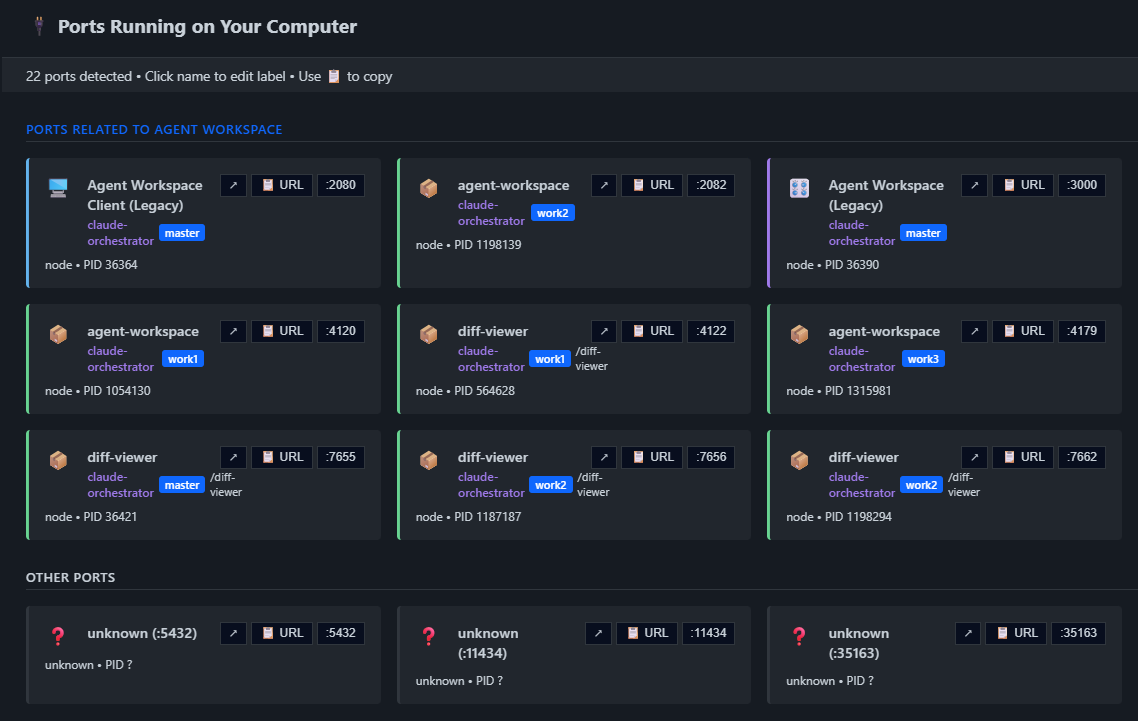
Ports Panel

See the running services list in one place, including assigned ports and owning worktrees. This makes it easy to inspect local stacks, debug collisions, and jump to the right runtime quickly.

Ports panel showing running services and assigned local ports

Multi-Tab Workspaces

Open multiple workspaces at once in browser-like tabs. Switch contexts without killing sessions, and keep each workspace state isolated while terminals continue running in the background.

Install

Get up and running in under a minute.

or run from source
git clone https://github.com/web3dev1337/agent-workspace.git
cd agent-workspace && npm install
npm start

Verify the Windows installer before running it.

  • Compare the SHA-256 digest shown on the GitHub release.
  • If a signature is present, verify it before launching.
  • If verification fails, do not run the file.
Get-FileHash .\downloaded-file.exe -Algorithm SHA256
Get-AuthenticodeSignature .\downloaded-file.exe

Download the .dmg, open it, and drag Agent Workspace to Applications.

Or run from source ↓
git clone https://github.com/web3dev1337/agent-workspace.git
cd agent-workspace && npm install && npm start
Run from Source ↓
git clone https://github.com/web3dev1337/agent-workspace.git
cd agent-workspace && npm install
npm start

Opens at http://localhost:9461 in your browser.